


How to get your ISPAY card, step by step.
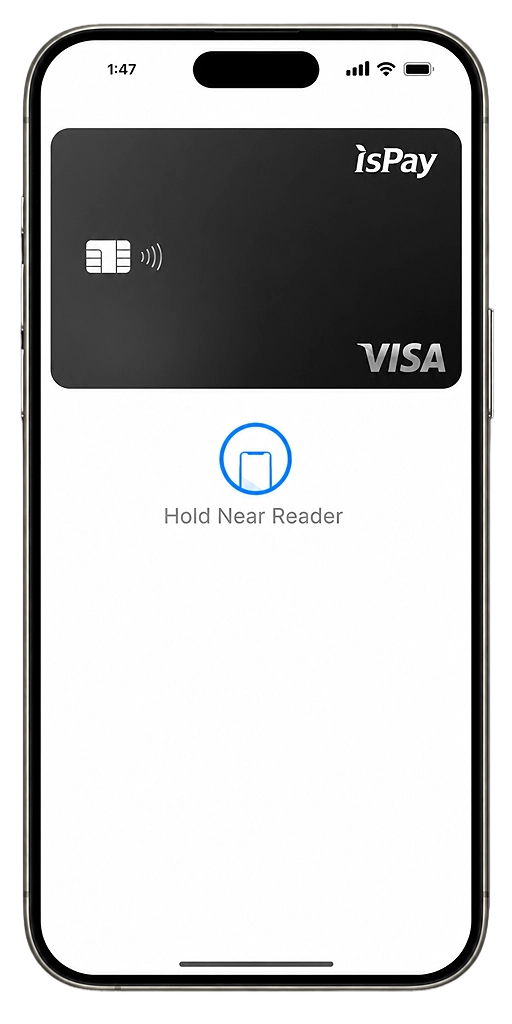
Open the card dashboard through TokenPocket, pick your tier, and activate. Virtual cards go live right away. Physical cards ship worldwide.
Before you start
You need a TokenPocket wallet set up and connected to BNB Chain. If you have not done this yet, follow the wallet setup guide first. Wallet Setup Guide →
Download TokenPocket Wallet
TokenPocket is the non-custodial wallet used to access ISPAY. Download it from the App Store or Play Store. Your keys stay with you.
Select BNB Chain as your network
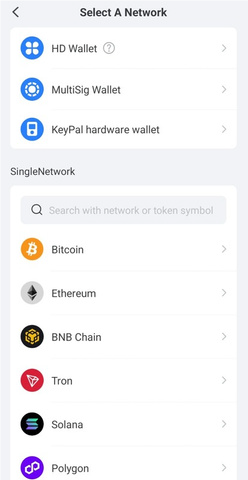
Open TokenPocket and switch to BNB Chain. ISPAY runs on BNB Smart Chain, and the card dashboard only works on this network.
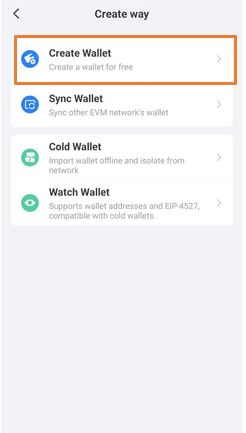
Create your wallet
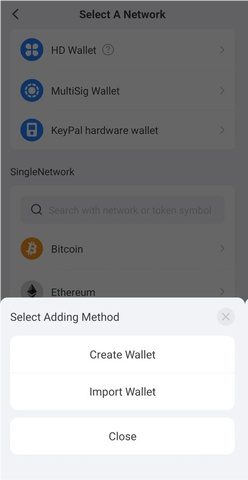
Tap "Create Wallet" in TokenPocket, choose BNB Smart Chain, give it a name, and confirm. This creates the wallet address that links to your ISPAY account.
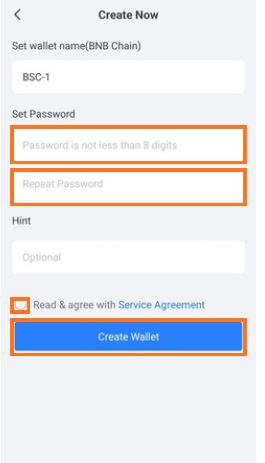
Set your password
Enter a strong password for your wallet. It protects local access on your device. Write it down. You cannot recover it if you lose it.
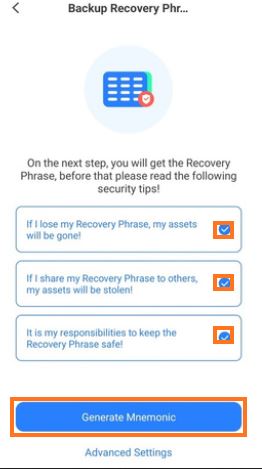
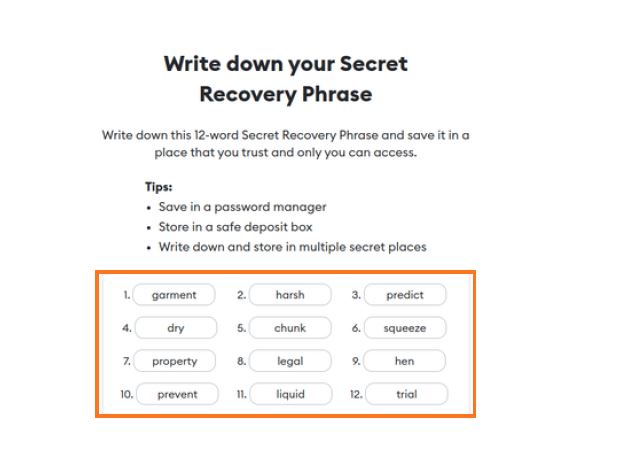
Generate mnemonic and save your recovery phrase
Select all confirmation options and tap "Generate Mnemonic." You will get a 12-word recovery phrase. Write it on paper and keep it somewhere secure. Anyone who has this phrase can access your wallet.
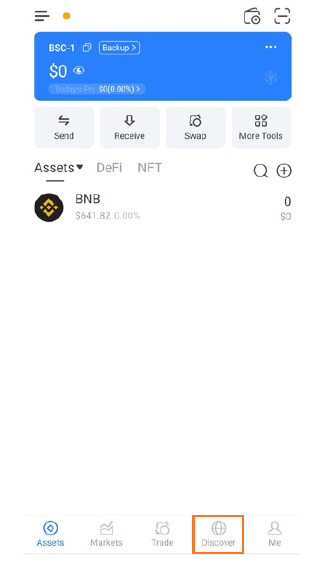
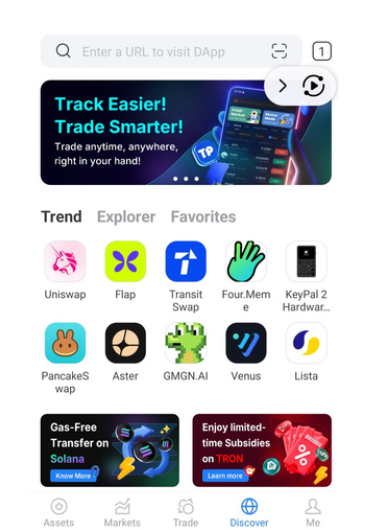
Open ISPAY products in the TokenPocket browser
Tap the "Discover" tab at the bottom of TokenPocket. This opens the built-in browser where you can reach ISPAY cards, mall, and gaming.
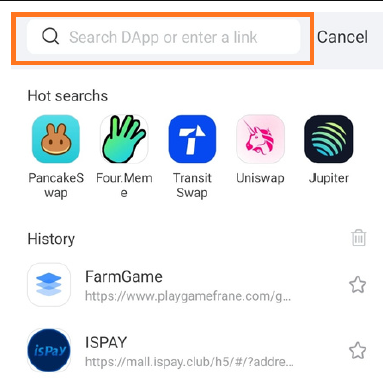
Open the ISPAY Card Dashboard
Copy the ISPAY Card Dashboard link below and paste it into the TokenPocket browser search bar. Hit enter to load the dashboard.
Copy and paste into the TokenPocket browser search bar
https://www.ispaychain.com/?code=0x3404023307b5aa4324337BF8B74CF6c553a70273 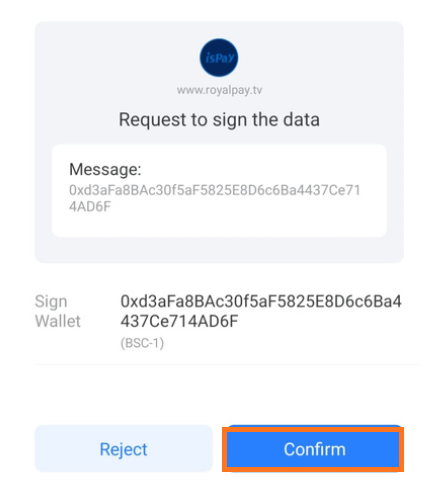
Connect your wallet to the card dashboard
Inside the ISPAY Card Dashboard, tap "Connect Wallet." TokenPocket will ask you to confirm. Approve it. Your wallet is now linked to your ISPAY card account.
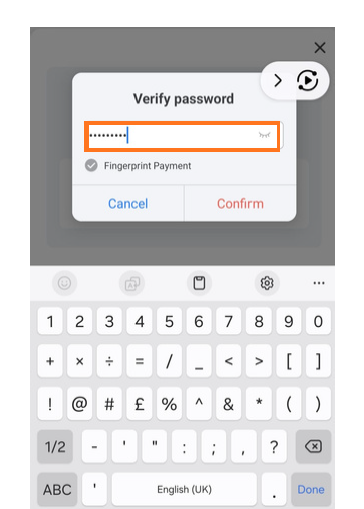
Enter your wallet password
TokenPocket will prompt you for your wallet password to finish the connection. Enter it and confirm. This lets the dashboard interact with your wallet.
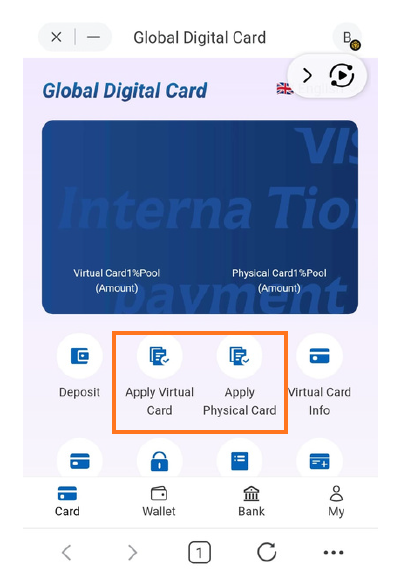
ISPAY Global Digital Card Dashboard
You are now in the ISPAY card dashboard. Apply for a Virtual card or a Physical card, pick the tier that fits, and follow the on-screen steps.
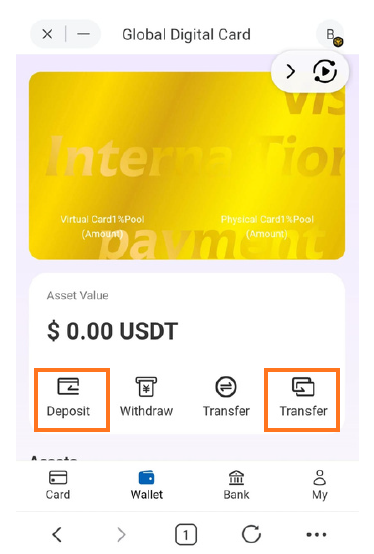
Deposit and transfer funds to your card
Use the Deposit section to add funds to your wallet. Then use the Transfer section to move funds from your wallet to your Virtual or Physical card. Funds arrive instantly.
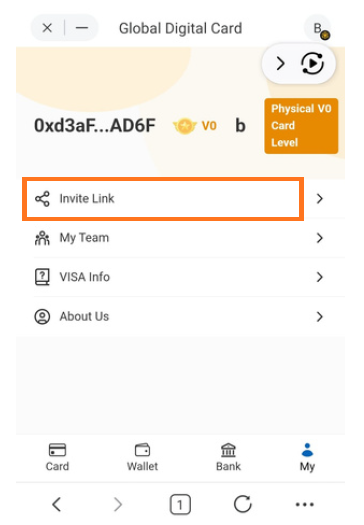
Share your referral link
Find your referral link inside the dashboard. Share it with friends and earn additional income on every new member who joins through your link.
Questions about ISPAY card setup
Can't find the answer you're looking for? Reach us at [email protected]
TokenPocket is a non-custodial crypto wallet app for Android and iOS. ISPAY uses it to access the card dashboard, and your wallet keys stay with you, not with any third party.
BNB Smart Chain (BNB Chain). ISPAY card and dashboard functions run on this network. Selecting a different network means the dashboard will not load correctly.
Open the Discover tab in TokenPocket to access the built-in browser. Paste the ISPAY Card Dashboard link into the search bar and connect your wallet to log in.
Yes. The ISPAY Card Dashboard lets you apply for Virtual, White, Gold, or Black cards. Virtual cards activate instantly. Physical cards (White, Gold, Black) ship worldwide in 7 to 14 business days.
Use the Deposit section in the dashboard to add funds to your wallet, then use Transfer to move funds from your wallet to the card. Transfers are instant.
Your ISPAY card is ready to use.
Spend in 195 countries, withdraw from ATMs, and earn rewards on every transaction.